Version 4.5.3.22729281 · Updated 2026
Warzone Mobile APK for Android
Call of Duty’s battle royale on your phone: Verdansk with up to 120 players, Rebirth Island and quick multiplayer matches. Here is the APK, the requirements and a clear guide to install it without hassle.
- 1.7 GB APK
- Android 64 bit
- Free to play
- Activision
Specs
APK details
| Name | Call of Duty: Warzone Mobile |
| Version | 4.5.3.22729281 |
| APK size | 1.7 GB |
| Platform | Android (64 bit) |
| Genre | Battle royale and multiplayer shooter |
| Developer | Activision |
| Price | Free, with optional purchases |
| Connection | Required to play |
Features
What Warzone Mobile offers
Everything that made Warzone famous, built for a touch screen and for matches that fit into a short break.

120 player battle royale
Drop into Verdansk, loot gear and survive while the gas circle closes in.

Squads and friends
Play solo, duos, trios or quads, with voice chat and quick pings.

Console quality graphics
Lighting, textures and immersive audio that scale to your phone’s power.

Rebirth Island and Resurgence
A small map, short matches and respawns while your team stays alive.

Shared progression
Weapons, levels and battle pass tied to your Activision account.

Controls your way
Move every button, tune sensitivity and switch on gyro aiming if you like.
Screenshots
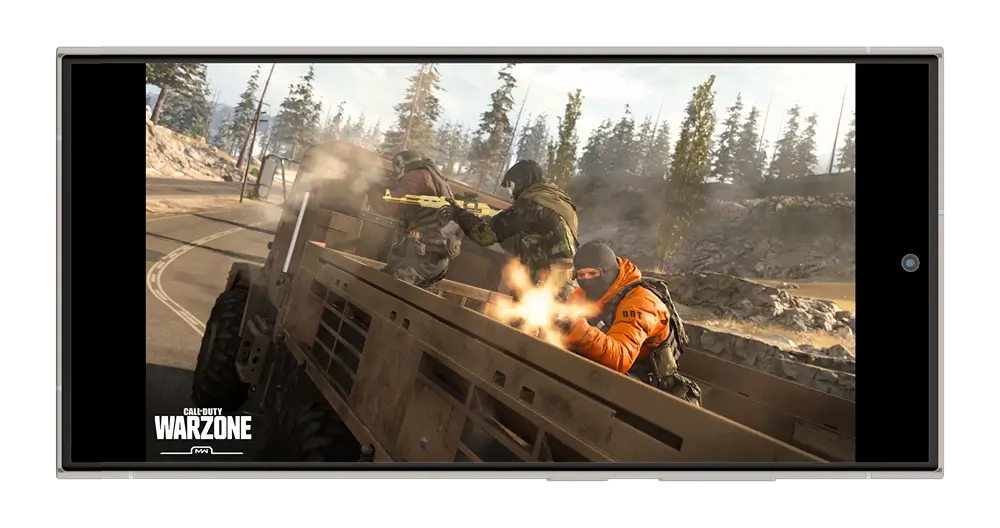
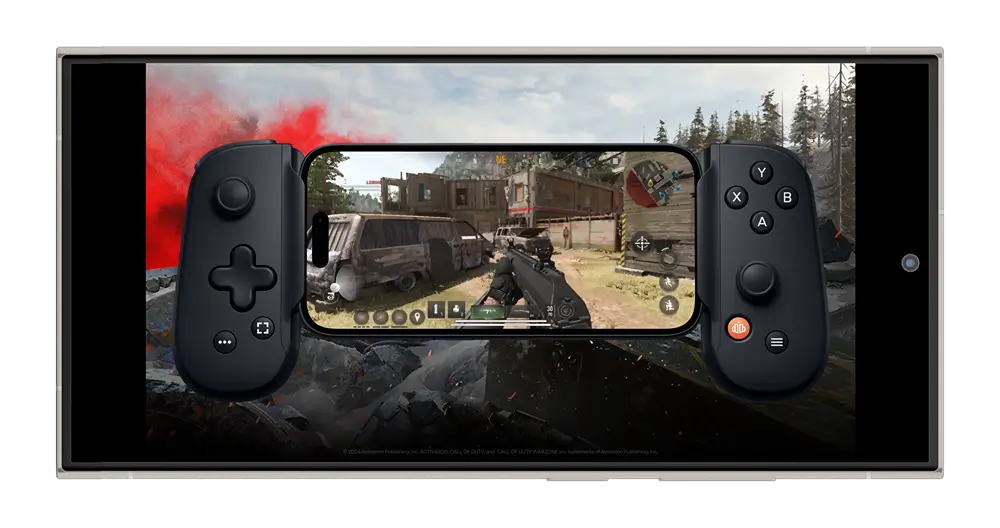
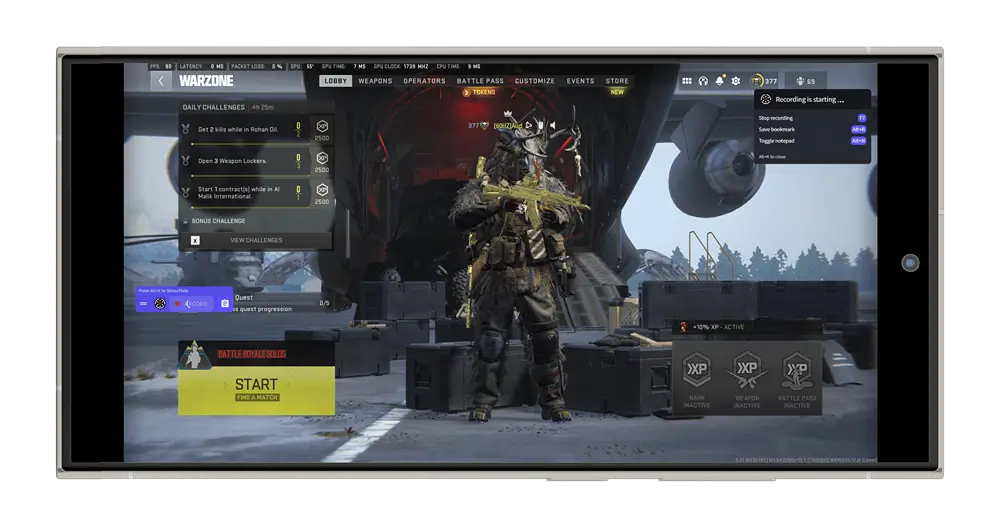
How it looks on mobile
Full guide
What is Call of Duty: Warzone Mobile?
It is the mobile version of Call of Duty’s free battle royale. Activision launched it worldwide in March 2024 with Verdansk as the main map and matches of up to 120 players.
The goal is simple: land, gear up, complete contracts and be the last squad standing. If you go down, the Gulag gives you a second chance.
Game status in 2026: in May 2025 Activision removed Warzone Mobile from Google Play and the App Store and stopped releasing new seasons. Players who already had it installed kept access. That is why many people look for the APK to install it on Android.
Modes and maps
- Battle royale in Verdansk: the classic mode, with up to 120 players and the Gulag.
- Resurgence on Rebirth Island: fast matches with respawns while a teammate is alive.
- Multiplayer: small maps like Shipment or Shoot House for matches that last a few minutes.
- Events and challenges: daily and weekly goals that award XP and rewards.
How to install the APK step by step
- Tap the Download APK button on this page.
- Allow the file download when your browser asks.
- Go to Settings and allow installs from unknown apps for your browser or file manager.
- Open the downloaded file and tap Install.
- Launch the game on a stable WiFi network: it downloads extra data the first time.
- Sign in with your Activision account to restore your progress.
If the install fails
- Parse error: the file is incomplete. Download it again.
- App not installed: uninstall older versions of the game and try again.
- Out of space: free up several GB, since the game adds data on first launch.
- Closes on launch: your device may not meet the minimum requirements.
Recommended requirements
- A recent 64 bit Android device.
- 6 GB of RAM or more for smooth play (4 GB works on low settings).
- Adreno 618 GPU or better, or an equivalent chip.
- Several GB of free space: the APK is 1.7 GB and the game adds more data on first launch.
- A stable internet connection for the whole match.
Tips to win more matches
- Set up your controls first. Put the fire button where your thumb reaches it easily.
- Land away from the flight path. Quiet areas give you time to gear up.
- Buy your loadout as soon as you can: your custom weapon makes the difference.
- Play the zone. Rotate early and use buildings and vehicles as cover.
- Talk to your squad. One well timed ping is worth a hundred shots.
Settings for smooth play without overheating
- Drop graphics quality to medium and cap FPS at 30 or 40 if the phone gets hot.
- Close other apps before you queue.
- Turn on your phone’s game mode if it has one.
- Avoid playing while the phone is charging.
Pros and things to keep in mind
The best parts
- The full Warzone experience in your pocket.
- Short matches on Rebirth Island.
- Works with Bluetooth controllers.
Keep in mind
- No new seasons are being released.
- Needs a powerful phone and plenty of free space.
- Activision could shut the servers down in the future.
Conclusion
Warzone Mobile is still one of the most complete battle royale games on Android. If your phone meets the requirements, download the APK, follow the install guide and get ready for your first drop into Verdansk.
Common questions
Frequently asked questions
Does Warzone Mobile still work in 2026?
Yes, for players who have it installed. Activision removed it from the stores in May 2025 and stopped adding content, but it has not announced a server shutdown.
Is it free?
Yes. You can play without paying. Optional purchases are cosmetics, COD Points and the battle pass.
How much space do I need?
The APK is 1.7 GB, but the game downloads more data on first launch. Keep several GB free before installing.
Can I use my Activision account?
Yes. Signing in restores your level, weapons and battle pass progress.
Does it support controllers?
Yes. You can pair compatible Bluetooth controllers and adjust the layout in game.
Why won’t the APK install?
Check that your Android device is 64 bit, that you have free space and that installs from unknown apps are allowed.
Is it safe to install an APK?
Always download the complete file, scan it with your antivirus and never grant permissions that make no sense for a game.
Ready to drop into Verdansk?
Download version 4.5.3.22729281 and follow the guide to install it in a few minutes.